EnvKit
A desktop app and command-line tool for managing Windows environment variables, PATH and Credential Manager without the guesswork.
Also available in: Türkçe
EnvKit is an open-source tool I built for managing environment variables, PATH and saved credentials (Credential Manager) on Windows safely. It shows you what is broken, previews every change as a diff before applying it, and lets you undo anything. The desktop app and the envkit command-line tool share one engine.
All values in the screenshots (user names, folders, credentials) are sample data.
Why
The built-in editor shows PATH as a small list and nothing else. It does not tell you that an entry points nowhere, appears three times, or never takes effect; it keeps no history; and it can silently break %VARIABLE% references. Credential Manager has weak search, no bulk delete, and no hint of which entry belongs to which tool. EnvKit was written to close those gaps.
✨ Features
🩺 PATH health check
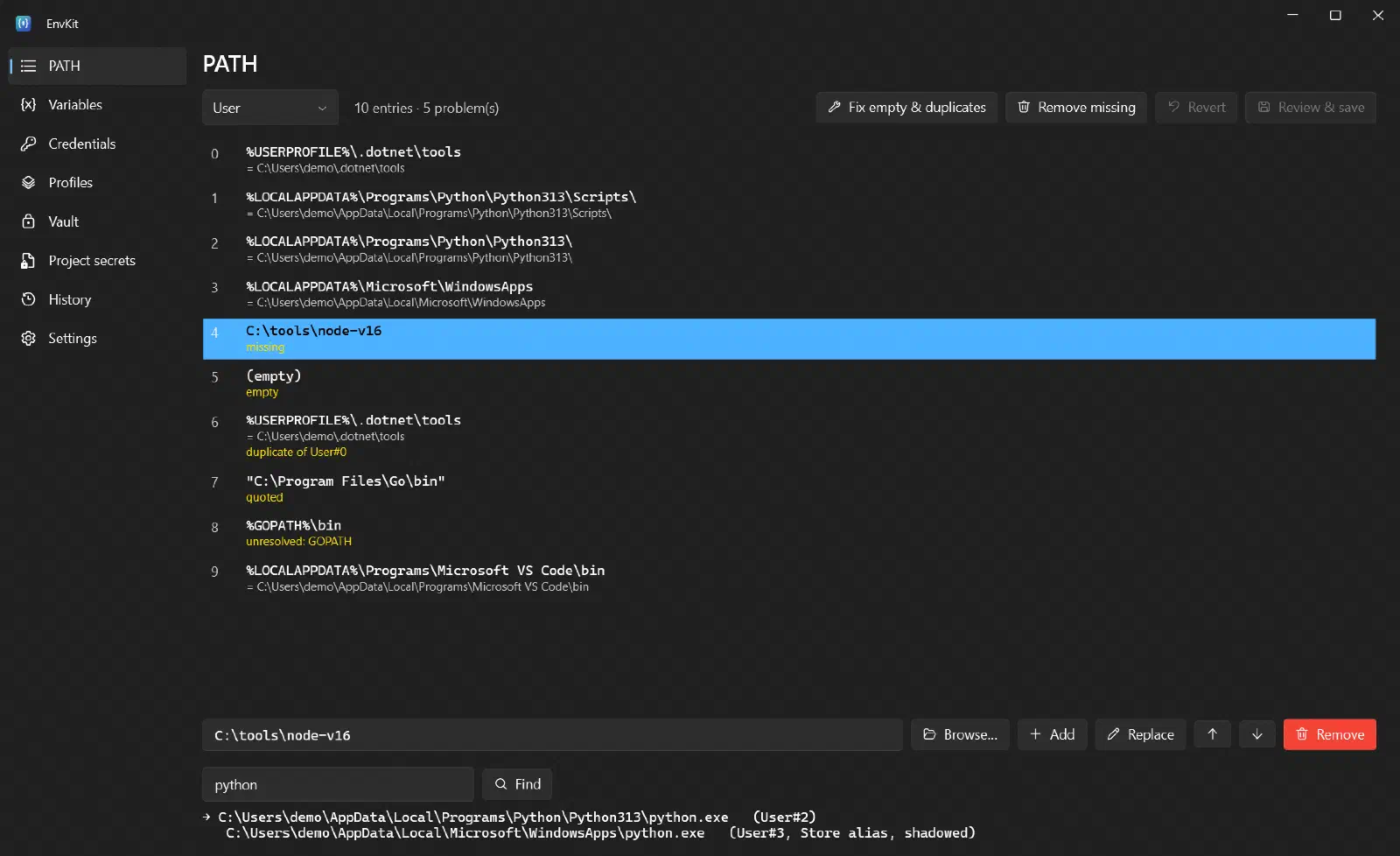
- Problems found: Missing directories, duplicates (after expansion, case-insensitive), empty and quoted entries, relative paths, unresolved
%VARIABLES% - The REG_SZ trap: Catches references that never expand because PATH is stored as
REG_SZ - Shadowing:
envkit which pythonlists every match in search order, so you can see which one runs and which ones (including the Microsoft Store alias) are shadowed - One-click fixes: Remove empty and duplicate entries, drop missing folders, reorder with drag and drop
🔍 Preview, then apply
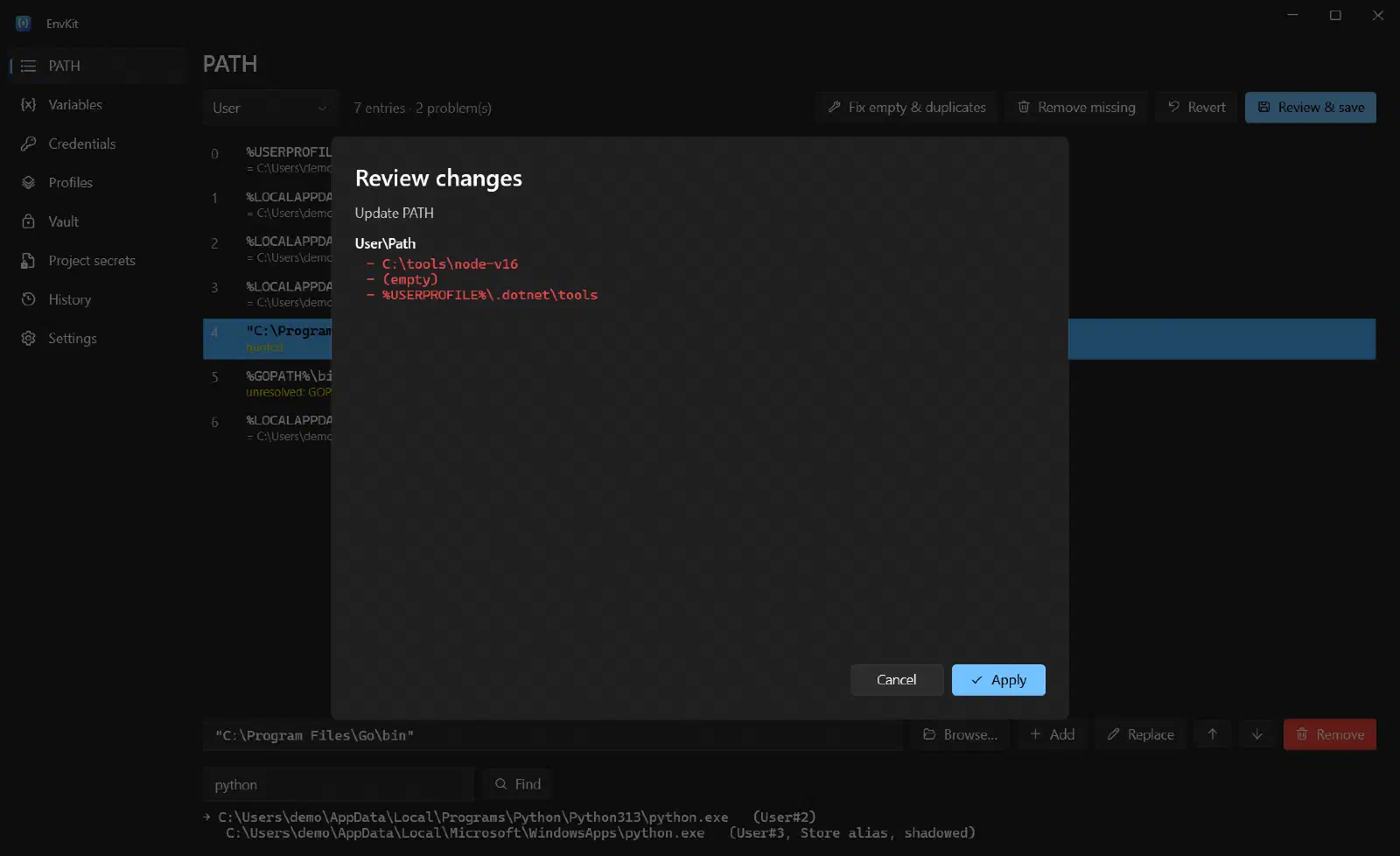
- Diff preview: Every change is shown as a diff first; PATH changes are diffed per entry
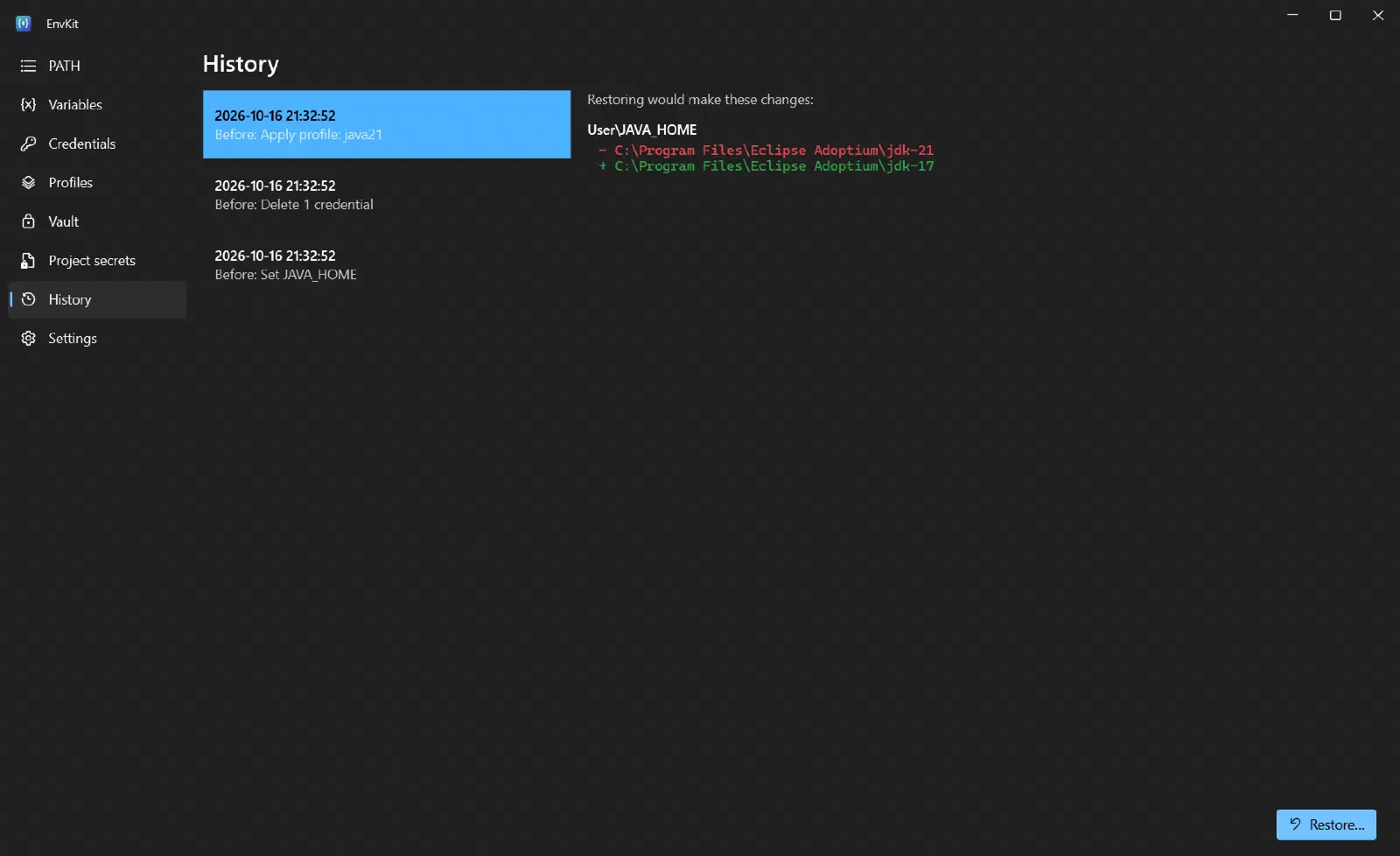
- Undo: A snapshot of all variables is taken before every change. Restore any of them from History or with
envkit snapshot restore - Safe writes: Values keep their registry type (
REG_EXPAND_SZstays expandable), changes are refused if something else edited the variable since the preview, and a failed write reverts the rest - Least privilege: The app runs as a normal user and asks for administrator rights (one UAC prompt) only for machine-scope changes
🔑 Credential Manager, usable
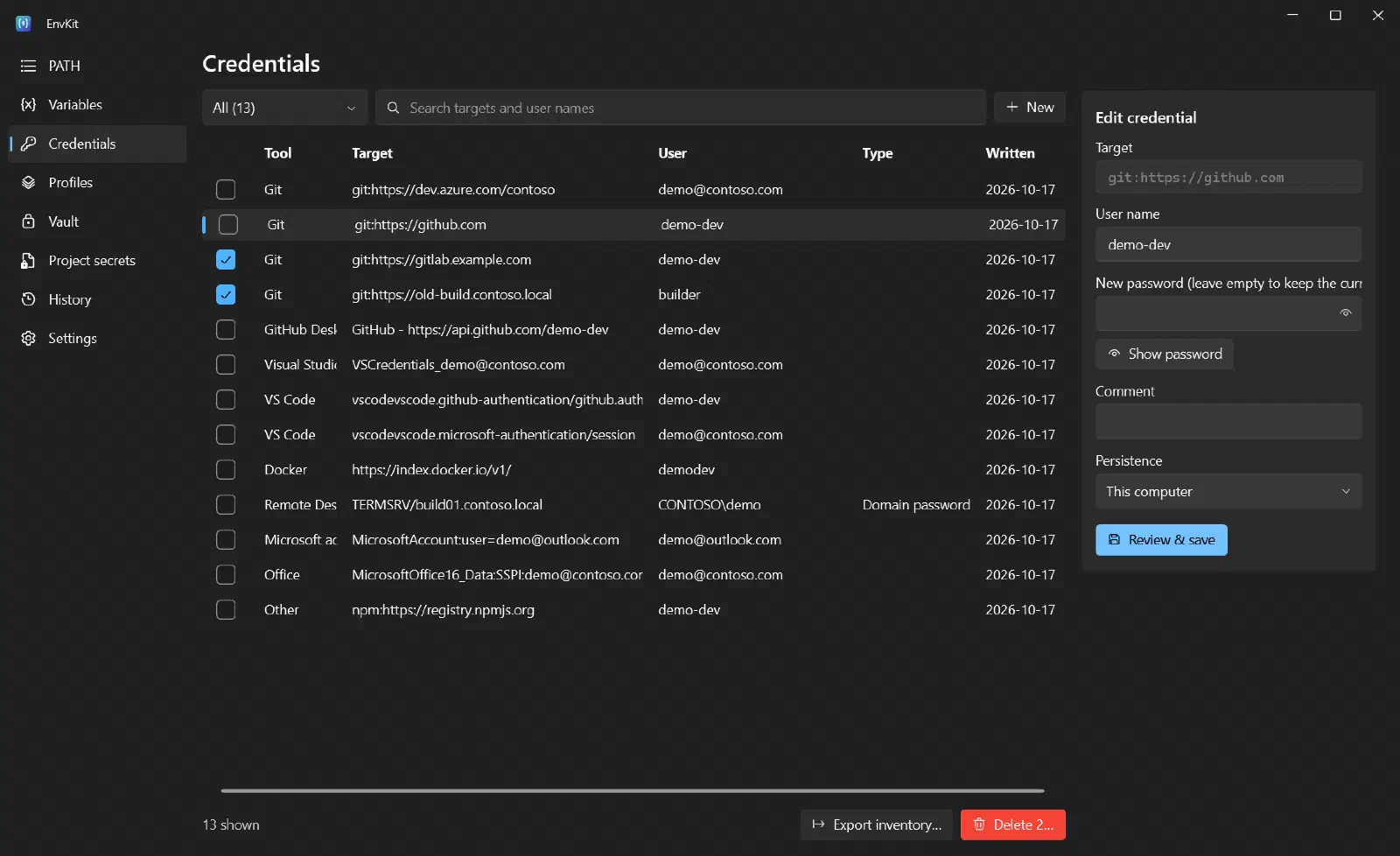
- Grouped by tool: git, GitHub Desktop, Visual Studio, VS Code, Docker, Remote Desktop, Microsoft account, Office…
- Search, edit, bulk delete: Deletes and edits are snapshotted too, so a bulk cleanup can be undone
- Inventory export: A JSON inventory without any secrets
- Domain credentials are the exception: Windows never reveals their secret, so deleting one is permanent, and EnvKit says so first
🧩 Profiles and the vault
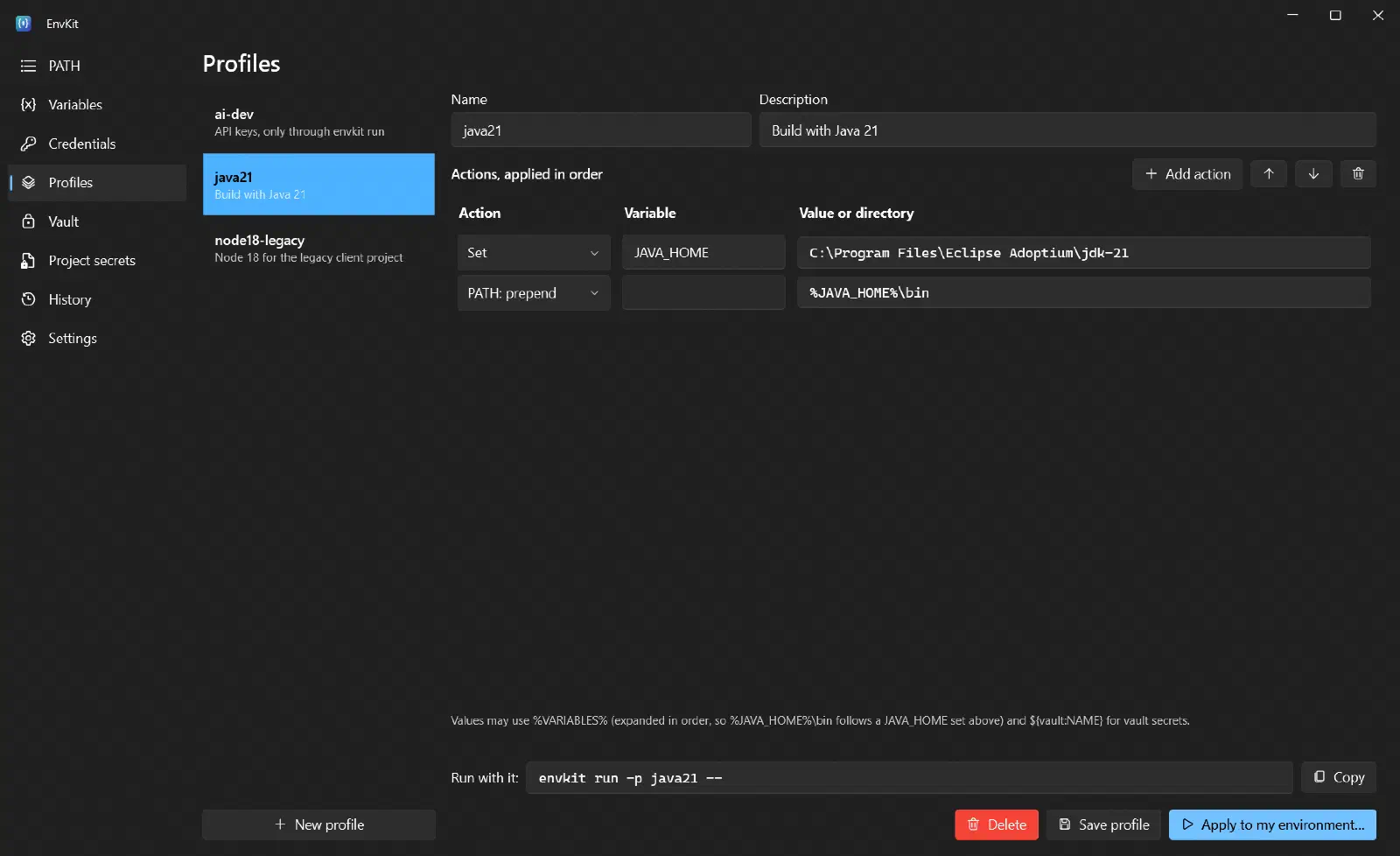
- Profiles: Named sets of changes such as “java21” (set
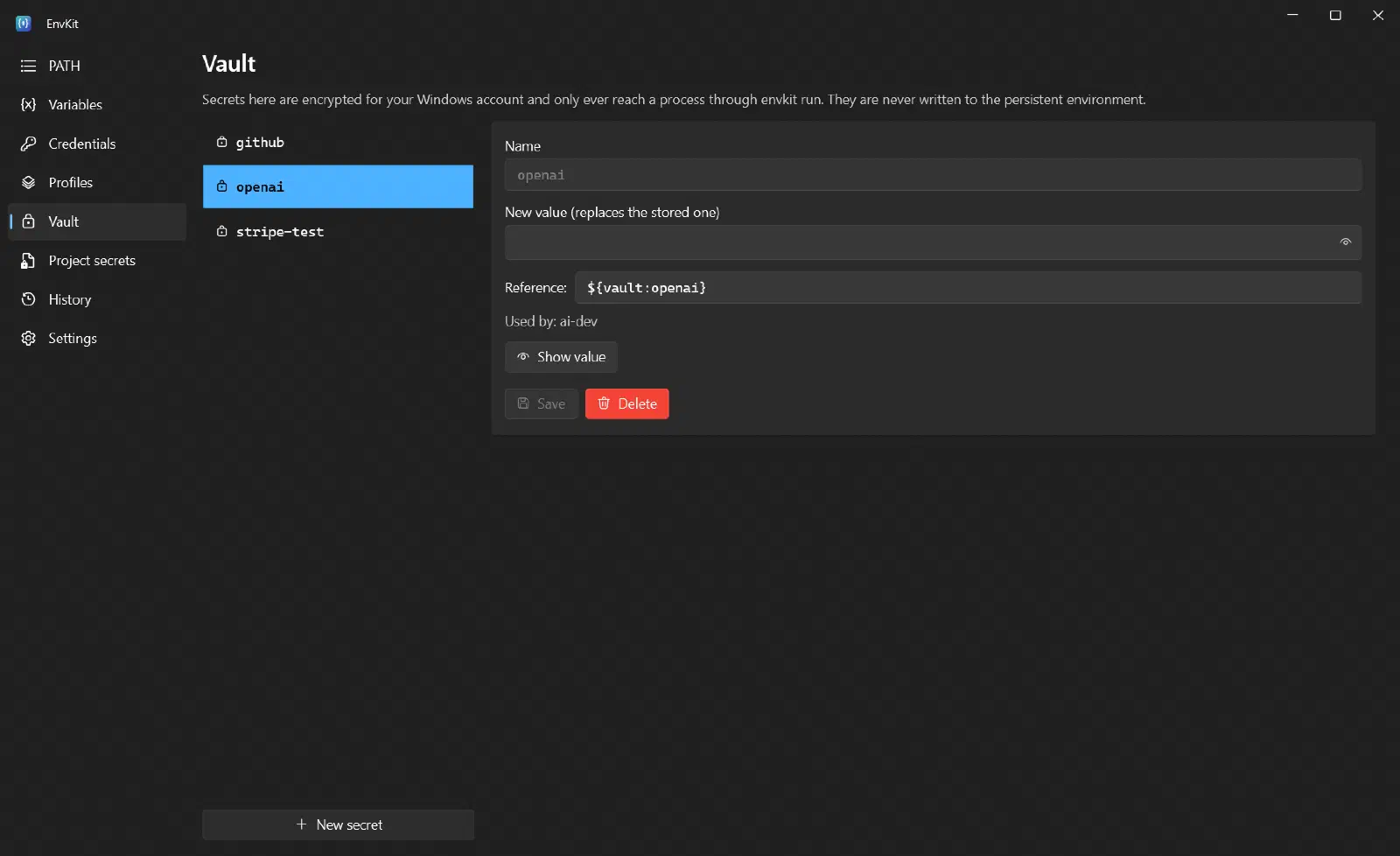
JAVA_HOME, put%JAVA_HOME%\binfirst in PATH). Apply one to your environment (reviewed and undoable like any change), or use it for a single command withenvkit run - A vault for secrets: API keys and tokens live in a DPAPI-encrypted vault instead of your environment. Profiles reference them as
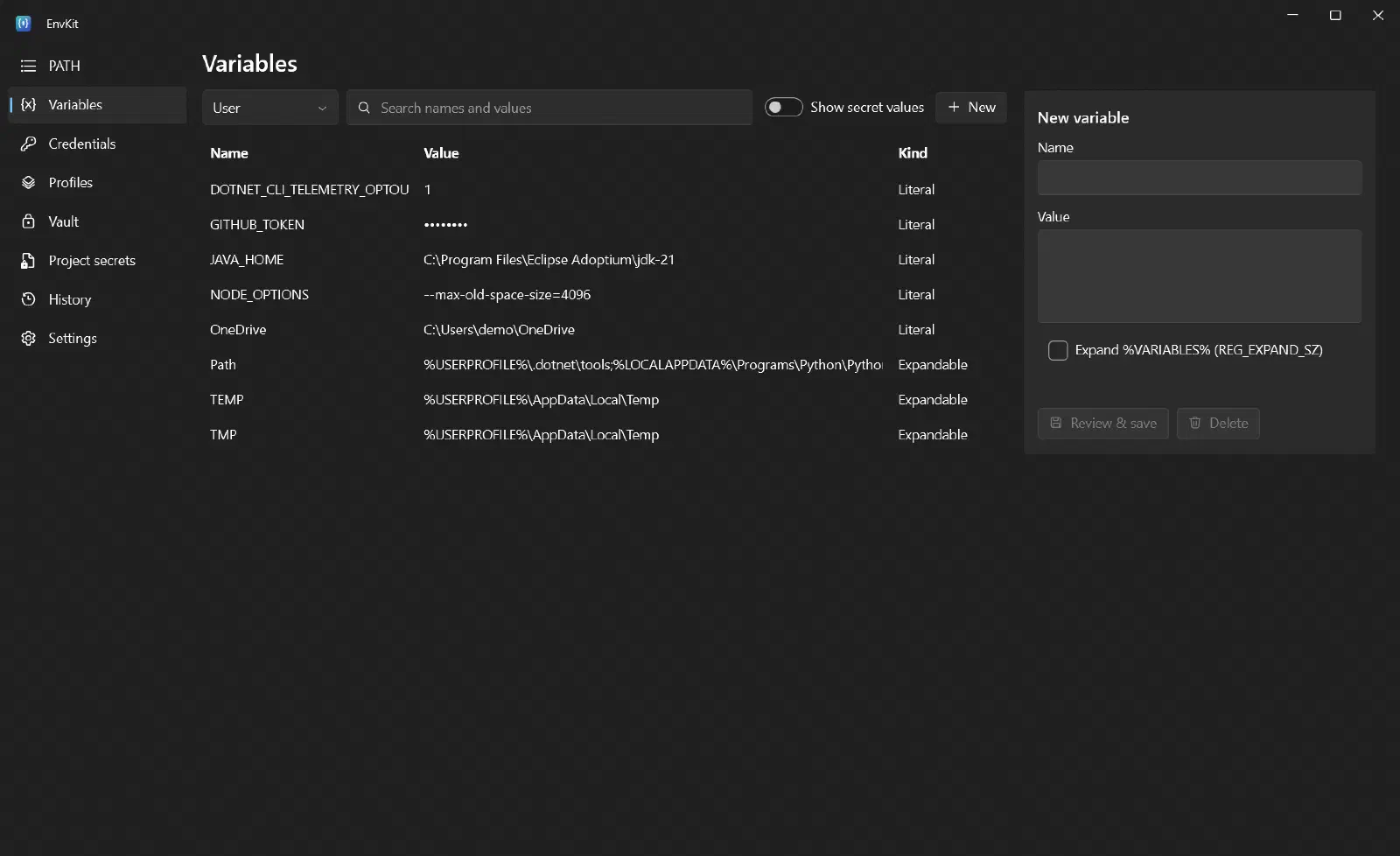
${vault:NAME}, andenvkit runinjects them into the one process that needs them; they are never written to the persistent environment - Secrets stay hidden: Variables that look like tokens or passwords are masked until you ask, and snapshots are encrypted with DPAPI
📁 .env files and .NET user secrets
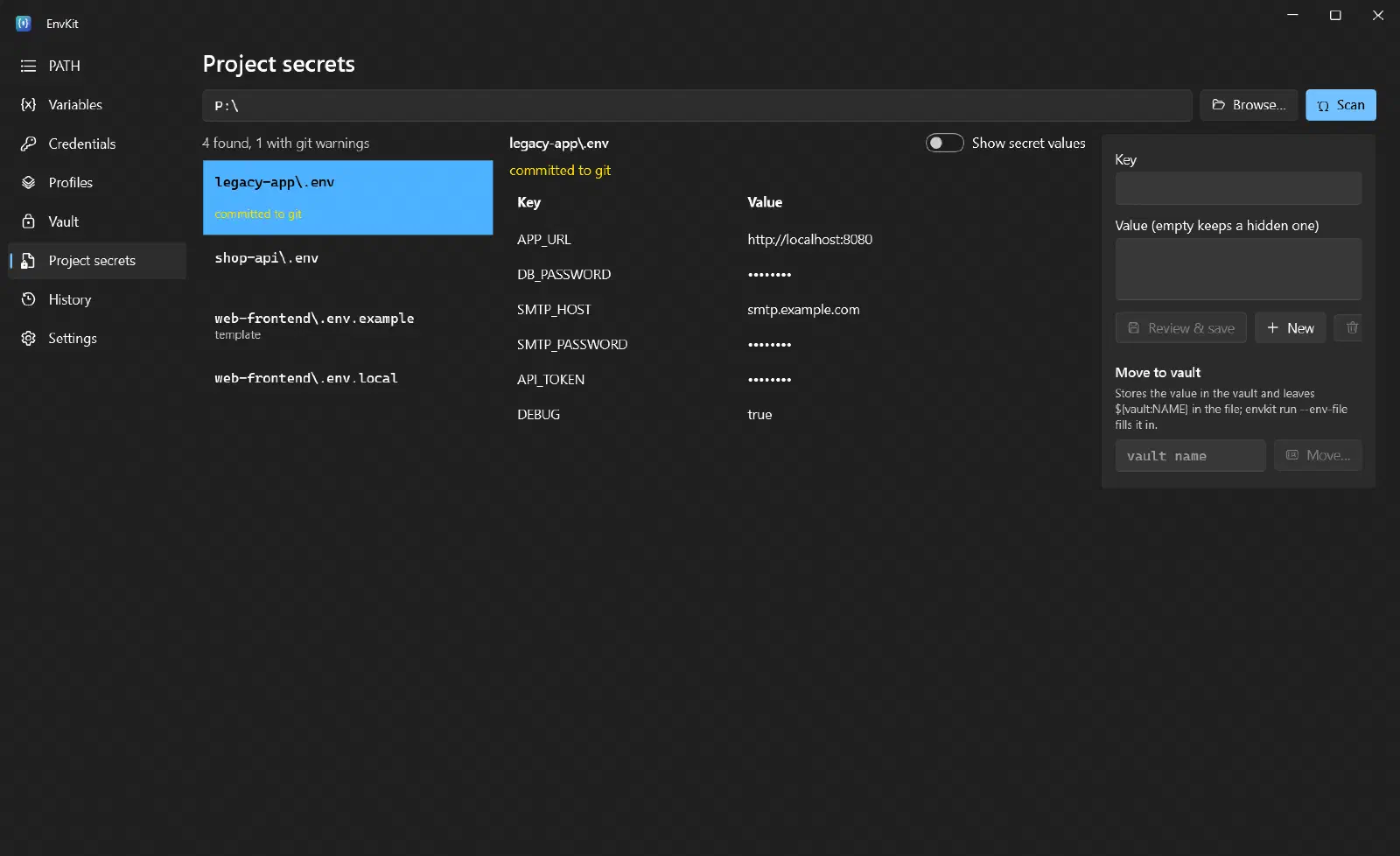
- Scan: Finds
.envfiles and user-secrets projects across a folder tree, and warns about.envfiles that are committed to git or missing from.gitignore - Edit without breaking the file: Comments, quoting,
export, line endings and byte order marks stay exactly as they were - Move to the vault: Moves a secret out of a
.envinto the vault, leaving${vault:NAME}behind;envkit run --env-file .envfills it back in for the process
🌐 Languages and themes
- The desktop app speaks English and Turkish and follows the Windows language by default; switch it in Settings without restarting
- Follows the Windows light/dark setting, or you can pick one
- The
envkitcommand line stays in English so its output is stable for scripts
📦 Install
Download EnvKit-win-Setup.exe from the latest release on GitHub. It installs per user (no administrator rights), adds envkit to your user PATH and updates itself from GitHub Releases. A winget package is on the way.
⌨️ Command line
For example, keep a token out of your environment and still give it to one tool:
| |
Switch JDKs per command without touching your environment:
| |
Get a live key out of a project’s .env without breaking the app:
| |
Writing commands show the diff and ask before applying. --dry-run only previews, --yes skips the question (required in scripts). The full command list is in the README.
🛠️ Under the hood
- .NET 10, WPF (Fluent design with WPF-UI), MVVM
- A platform-neutral engine (
EnvKit.Core), a Windows layer (registry,CredEnumerate/CredWrite, DPAPI,WM_SETTINGCHANGE, UAC), a thin CLI and the desktop app - Installer and auto-update with Velopack; CI and releases on GitHub Actions
- The tests never write to your real environment: registry tests use throwaway keys under
HKCU\Software\EnvKit.Tests-*
📄 License
EnvKit is open-source software released under the MIT license: you are free to use, modify and distribute it. Bug reports and suggestions are welcome on GitHub Issues.
Screenshots